  |
|
|
|
|
|
|
|
ADVANCED RESULTS WITH BEGINNER'S KNOWLEDGE
RoboAuthor is not only a fully visual application, it also has a visually pleasing user interface. Styles, colored tables, maps, mouse-over changing images, sounds, frame-sets, slides, pop-up windows, and literally hundreds of functions are all clearly available and may be used with ease. The sophisticated environment shields you from the complexities of any coding languages. The interface is extremely powerful, while being no more complex than your usual word processor.
All features are available with a click or two of the tool buttons.
This example demonstrates the image insertion window:
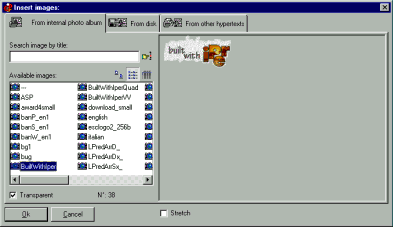
The image insertion window: note that you can quick reuse the images yet used in your current presentation/hypertext
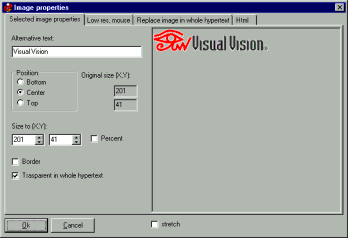
The image properties window; you can set a mouse-over image here (Image >Properties)

easy software for busy people!
|
 |
RoboAuthor is a VisualVision software.
Take advantage of our great offers and be productive in minutes. [electronic edition, click here] [CD edition]
Get started in 2 minutes [click here]
Overview in 10 steps [click here]
The fastest way for starting with RoboAuthor is to get the fast PDF manual [click here]
Read the manual online [click here]
Download / Purchase
Any question? See the frequently asked questions [click here]
Talk about your work, exchange tricks and ideas with other users [click here]
| ||
|
|
|
|
 EasyWebEditor: create Internet pages, build your Web site page in minutes - Web space, hosting, domain


 Get RoboAuthor, electronic edition or CD